Menu
Support Portal BlogEN|DE

Backup. Made in Germany.

High-performance backup and restore.

Speak to an expert:

Book a free, no-obligation call with an Archiware P5 data management expert to discuss your specific requirements.

P5 Backup is software for professional use that can be set up within minutes.

P5 Backup lets you back up server data to disk and tape, as well as the cloud. The module backs up and restores cross-platform on Mac, Windows, Linux, Synology, QNAP and NETGEAR. It works seamlessly with P5 Synchronize and P5 Archive, allowing broad data availability options.

Server backup to disk, tape and the cloud

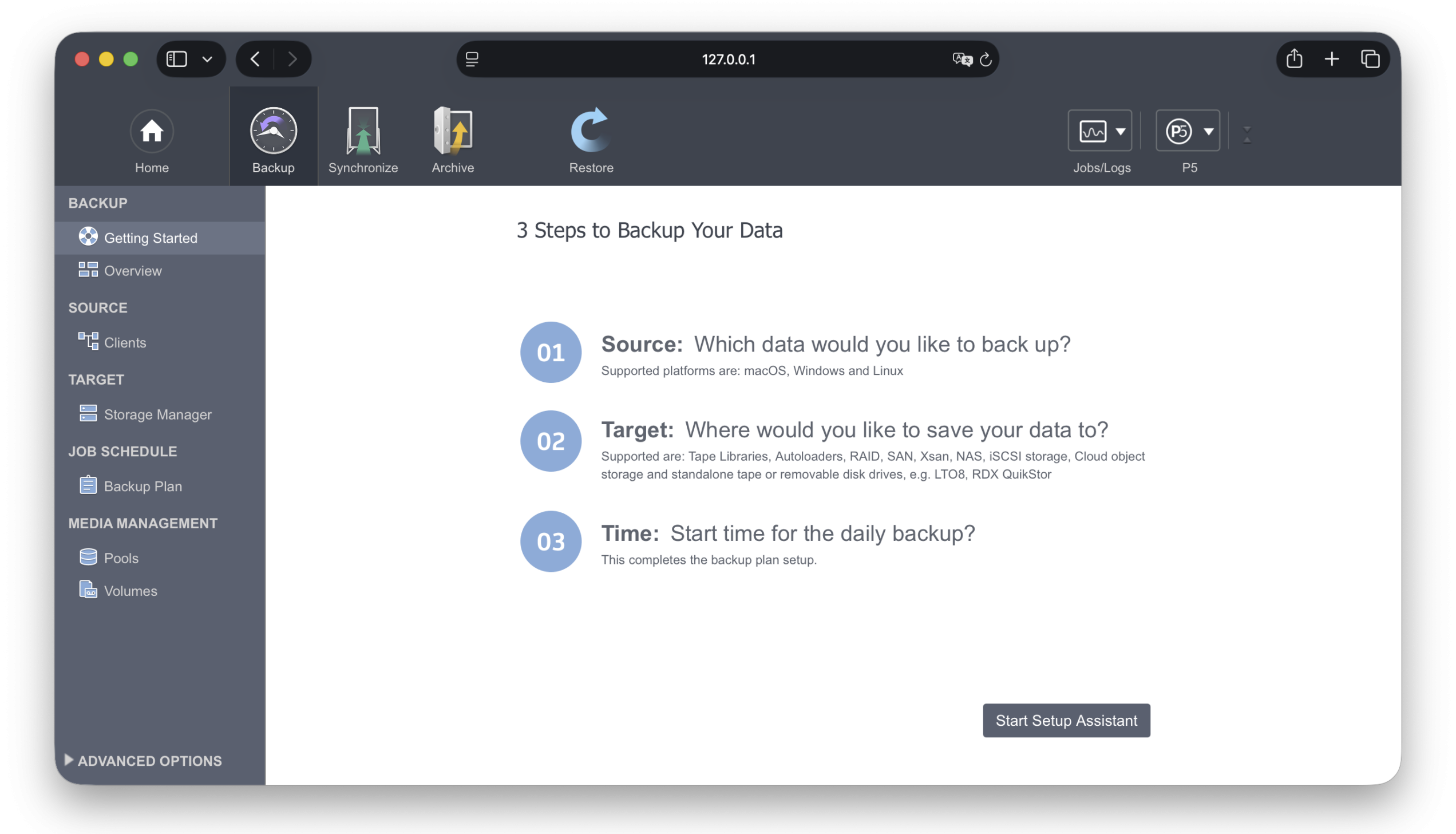
P5’s server backup is browser based and allows easy configuration, administration and monitoring – regardless of your location. The backup will include all your data as well as extended attributes, permissions, resource forks etc.

Through parallelization, P5 Backup software supports multiple drives, tasks and clients simultaneously. Even large data sets can be backed up in the shortest time possible. Backups are interruptible, and will be filled in automatically with the next run. Even partial backups are restorable.

Growing with your requirements, P5’s modular design allows for optimal scaling to fit your needs. There are no limits to possible growth: you can easily add further Archiware products, hardware or media to expand your setup. The same hardware can also be used to operate P5 Archive.

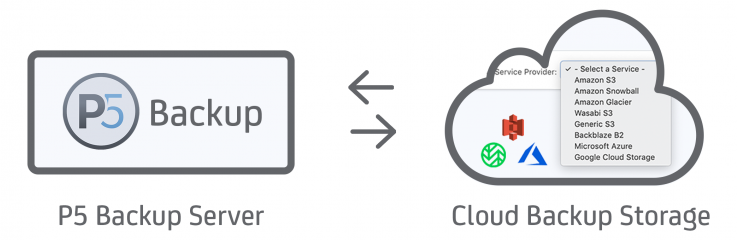
Flexibility and efficiency is extended with the Backup to the cloud feature. This enables you to access your data more easily, while saving hardware and administration costs. Supported clouds include Amazon S3, Amazon Glacier, Hitachi S3, Google Cloud, Microsoft Azure, Wasabi S3, Backblaze B2 and Generic S3. Access to Wasabi storage is built-in to P5. Manual configuration of the Wasabi end-point DNS names is not required.

I found P5 to be incredibly simple to set up. We bought a license and have been really happy with it since.

Lincoln W.

See how P5 Backup helps our customers keep their data safe on disk, tape and cloud storage:

Easy Restore

P5 Backup software stores your data in a platform-neutral format, allowing you to back up and restore data from and to any platform.

Archiware’s block-direct positioning allows for fast restore, no sequential seeking needed. Snapshots offer restores from a particular point in time. The administrator can allow users to search, browse and/or restore from the backup, making Archiware P5 even more flexible to the users’ needs.

Encryption

Files can be encrypted during transfer over a network and/or on the storage media. In addition, P5 also backs up access rights and ACLs of a file. The data is only unencrypted when restored to the workstation. This protects files against unauthorized access after a restore. Access to view a workstation’s index of saved files is managed via group-based access rights.

Rename Detection

P5 Backup is able to identify renamed folders with unchanged files inside and update index with new folder position without necessitating re-saving of files/folders contained within.

For example, if a top-level folder on a piece of storage were to be renamed, we avoid needing to re-save potentially many TB’s inside, saving time and storage costs.

True Incremental Backup

Incremental Backup only backs up files which have been added or modified since the last backup run. Since files are continuously backed up, even during long out-of-office periods, the volume of data for each backup increment remains small. Hence, network and server loads are kept to a minimum.

As of P5 Version 7.0 full backups are only required when writing to tape, to allow whole LTO tapes to be recycled and reused. The ‘progressive’ backup technique can be used indefinitely, resulting in faster and more efficient backup to cloud object storage.

Offsite safekeeping

Real security for your data can only be achieved through offsite backup. By cloning your backup on a second set of tapes or disks, you are ready for offsite storage for real disaster prevention. Ideally, this second set should be stored in a safe place and not in your primary office. Encryption options protect your data during transfer and on the media.

Perform Dry-Run of a Backup

P5 will compare storage to be backed up with index and report total number of new/changed/moved files. Allows anticipation of the length of the required backup window and number of tapes/storage that will be required for the backup to complete.

P5 Backup in the Cloud

Archiware has flexible support for a variety of cloud storage services in both the Backup and Archive modules. P5 Backup lets you back up data to the cloud and offers an automatic rotating Backup. Data is stored in a platform-neutral format, allowing backup and restore data from and to any platform.

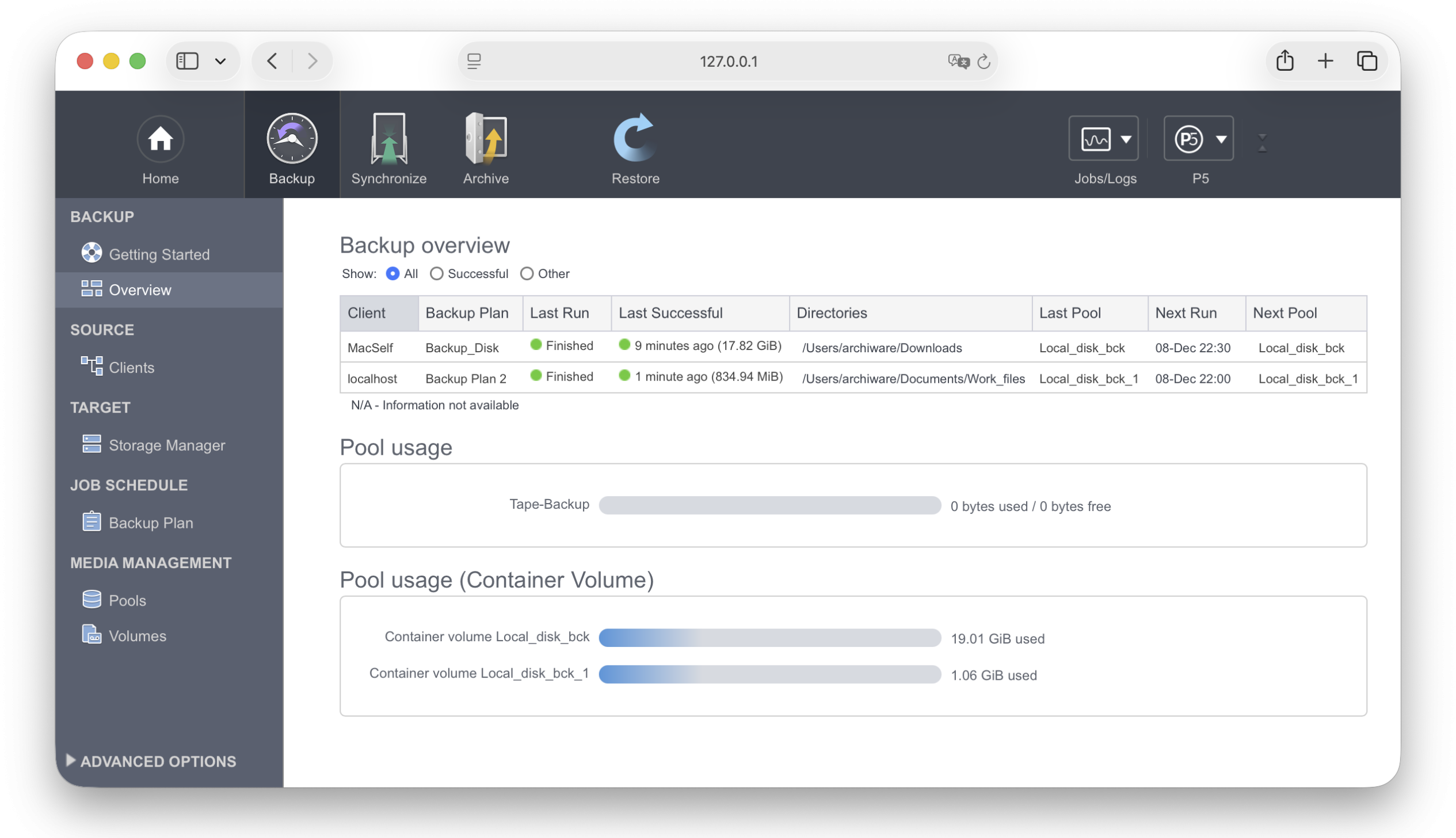
The overview in P5 displays last runs with details and status as well as storage usage.

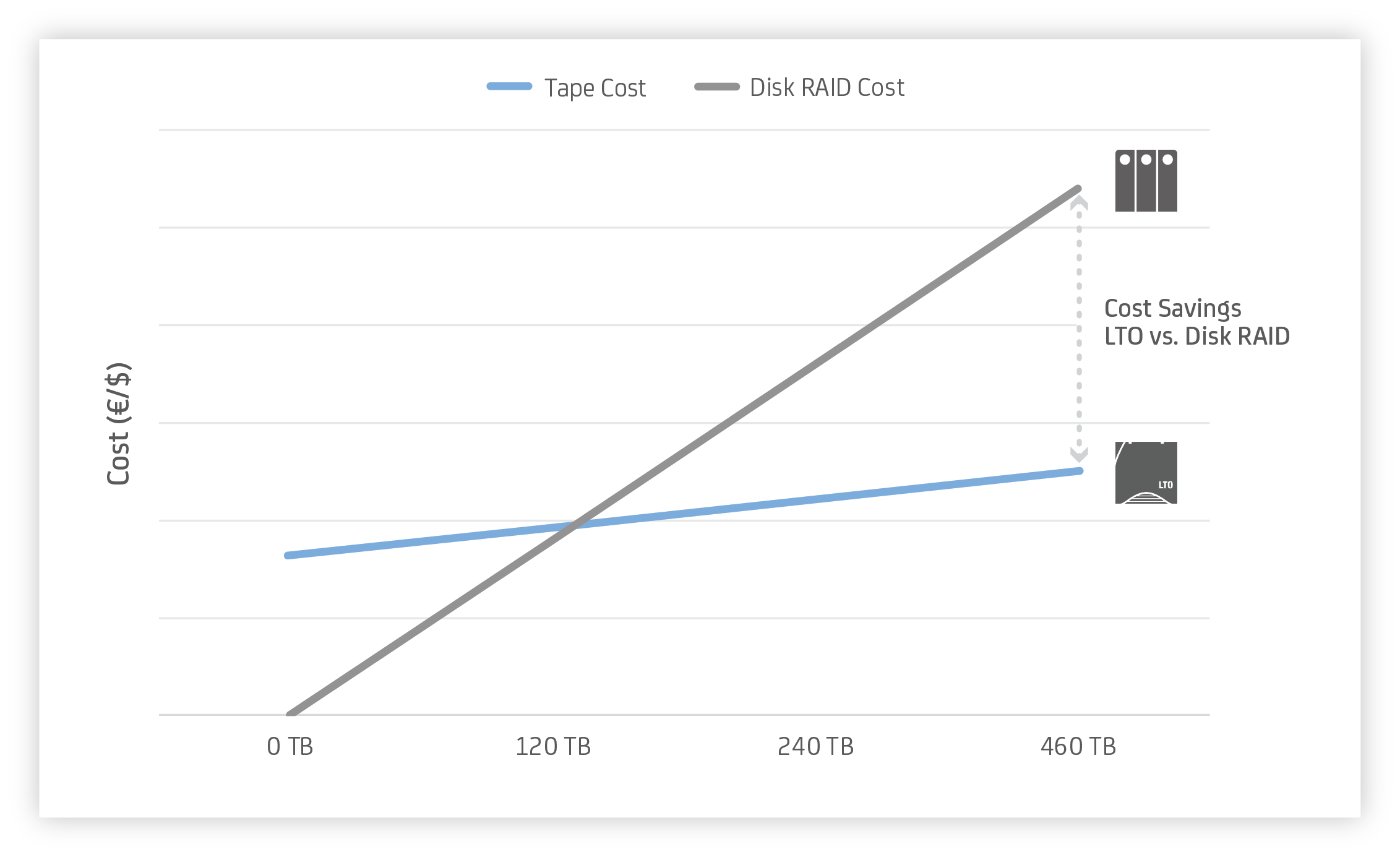
COST OF TAPE VS. DISK RAID

P5 BACKUP

Back up server data to disk, tape and the cloud.

SOFTWARE HIGHLIGHTS

  • Back up server data
  • To disk, tape and cloud storage
  • Easy user restore
  • Long retention times
  • Tape cloning
  • Offsite storage

TECHNICAL FEATURES

  • Data Duplication (security copy)
  • Full, incremental or progressive
  • Interruptible
  • Encryption
  • File Filter/policies
  • Data restore between platforms

OS SERVER & CLIENT

  • macOS Server
  • macOS
  • Windows
  • Linux
  • QNAP
  • Synology
  • NETGEAR ReadyNAS
  • TrueNAS
  • GB Labs

FILE SERVER

  • ExtremeZ-IP
  • Helios
  • Xinet
  • Netatalk

Read more about the System Requirements and Compatibilities for P5 Backup.

P5 Desktop LTO Edition

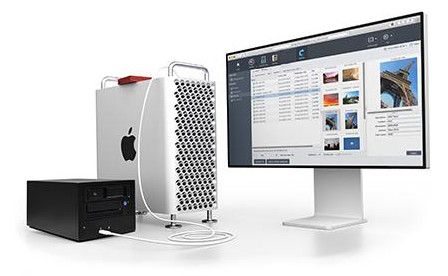
Archiware P5 is available in a special P5 Desktop LTO Edition for use with up to two LTO drives. Automatic Backups and long-term Archive on LTO, store production data and protect for the long-term. Now both are available in this special license bundle. Profit from proven longevity and affordability of LTO media. Extremely easy archiving and backup with P5.

Archiware Blog

The Archiware Blog provides helpful insights on numerous data management topics. Learn how to achieve maximum data protection for your valuable assets using archive, backup and cloning from our experts.

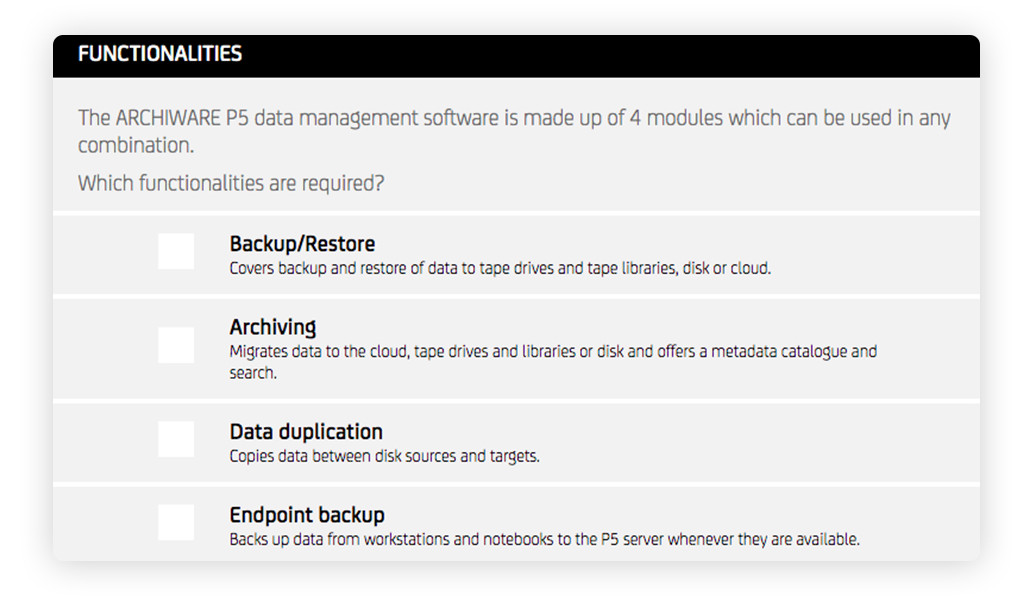
Product Configurator

Archiware products are sold according to a list-based pricing structure. Pricing depends on the required modules, size of storage and other factors. The required license or bundle can easily be calculated using our P5 Product Configurator. Simply select the required modules, the size of Archive/Backup storage or Tape library, additional clients or options to receive a license configuration quote.

DOWNLOAD PDF

Datasheet P5 Backup 8.0 EN

CONTACT

Pre-sales/Technical: Archiware Support
Sales/Licensing: team@archiware.com
(Please take note of our sales policy when requesting pricing or quotes)

MORE RESOURCES IN THE P5 SUITE

Questions? Ask Archiware!Book a call with an expert!